When working with AI agents during development, granting them full access to our local machine can introduce security risks. A safer approach is to run the agent inside a Dev Container. This way, we grant the required access only within an isolated container environment instead of the host system.
By using a Dev Container, the agent can safely interact with project files through the mounted workspace, while remaining separated from the rest of the local environment.
To get started, we first need to create a Dev Container configuration in our project. Then we install the Claude Code extension and authenticate it with our account.
Make sure that the DevContainers extension is installed in VS Code before proceeding.
Note: DevContainers provide isolation, but they are not a complete security sandbox.
Option-1 Using Claude-Code Repository in devcontainer
- Clone the Claude Code reference implementation repository
- Open folder in VS Code
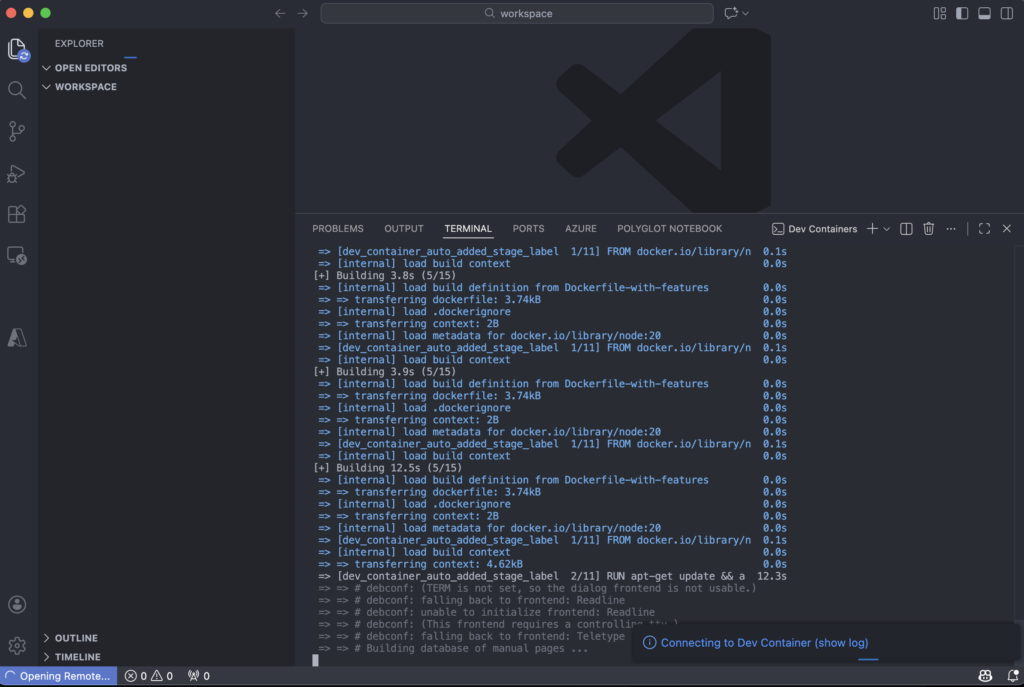
- When prompted, click “Reopen in Container” (or use Command Palette: Cmd+Shift+P → “Remote-Containers: Reopen in Container”)
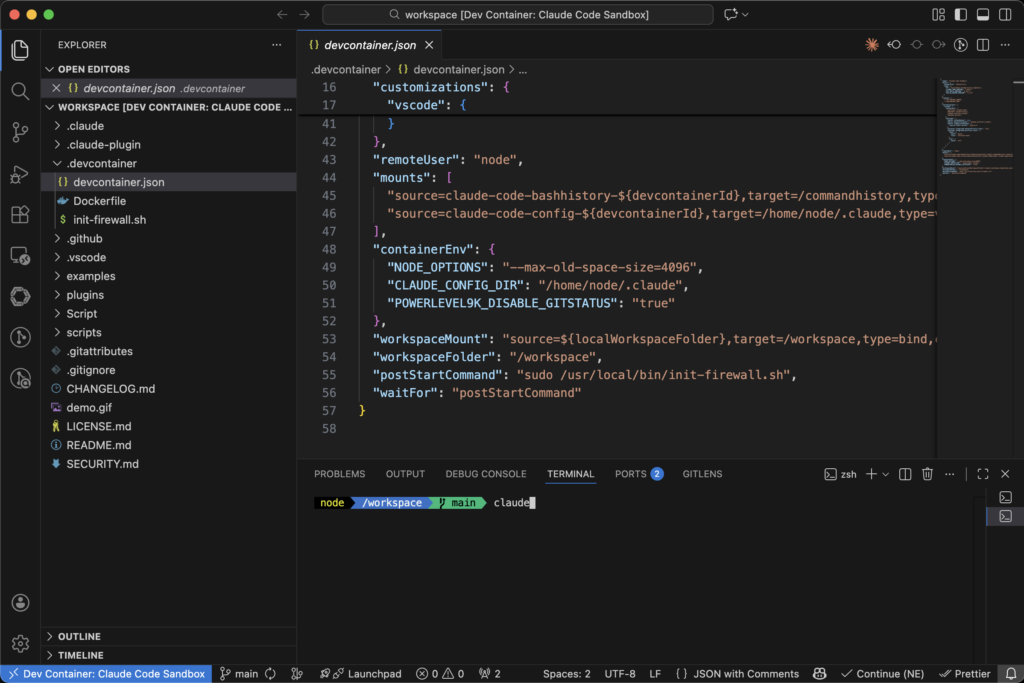
If we mount local project folder, claude-code can access project folder.
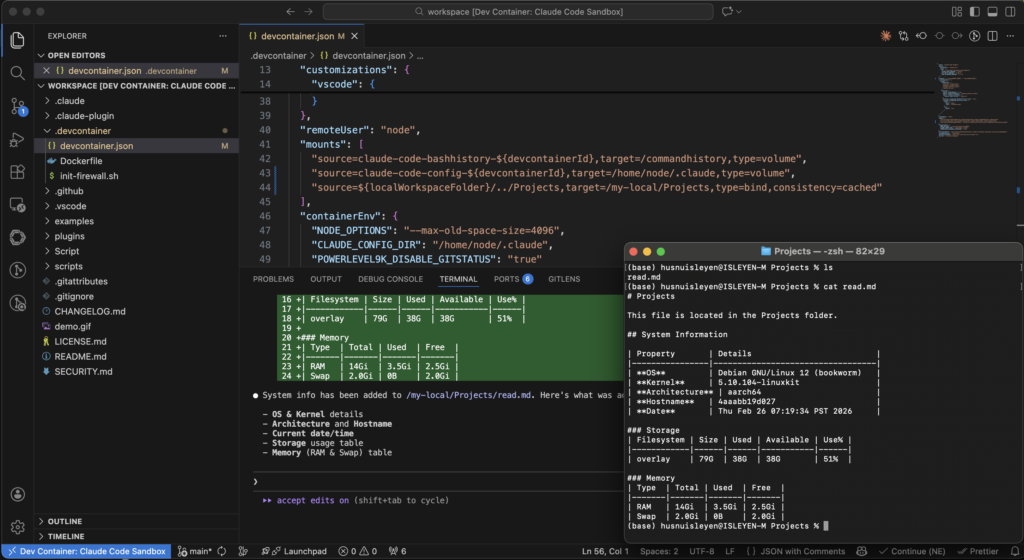
Resource: documentation & video
Option-2 Using devcontainer’s features
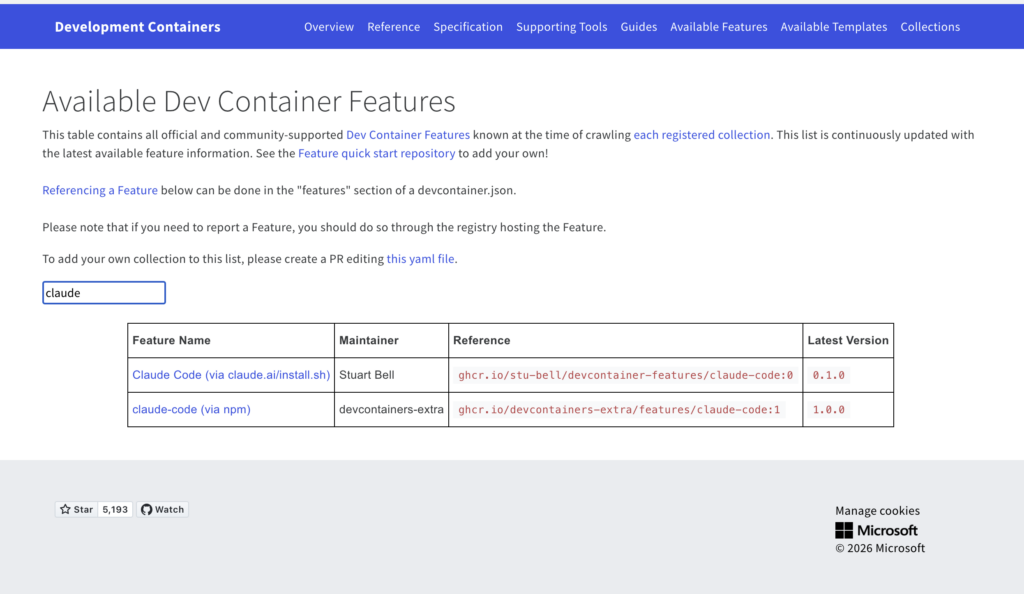
chosen feature should be inserted to devcontainer.json file.
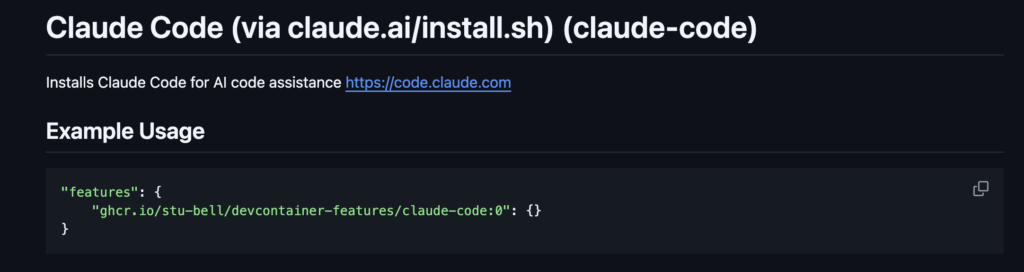
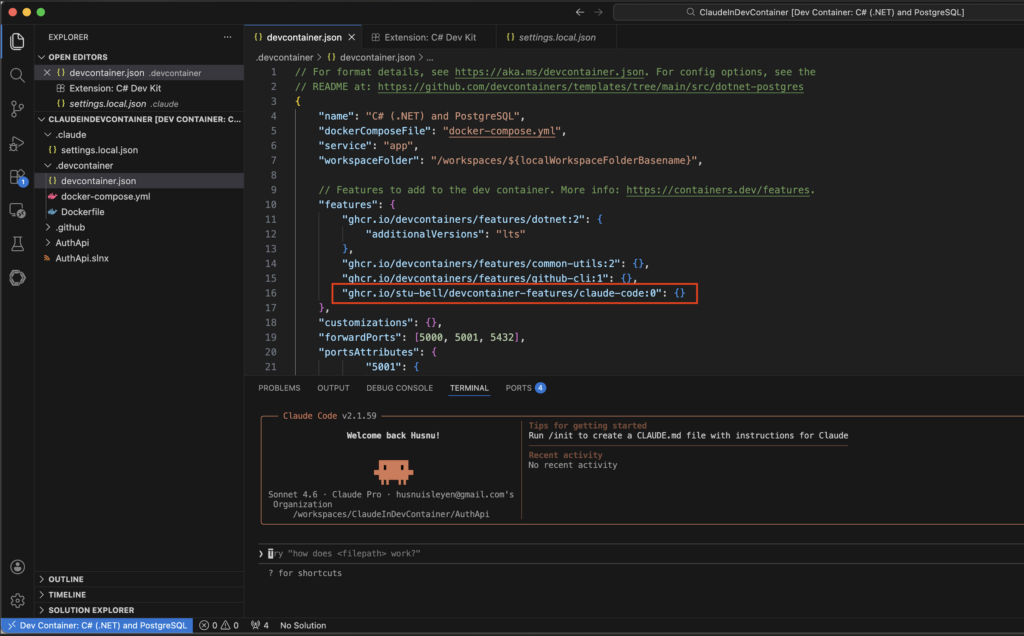
Thanks to added feature, development environment has isolated claude-code agent